


Streamline your forms and surveys with our new advanced conditional logic. With Paprlss v2.1.2, you can now apply multiple conditions to individual fields or entire sections, giving you full control over how forms respond to user input.
What Is Conditional Logic?
Conditional logic allows you to dynamically show or hide fields or field groups based on how users answer specific questions. This means you can build shorter, more relevant forms that expand only when needed — improving both clarity and completion rates.
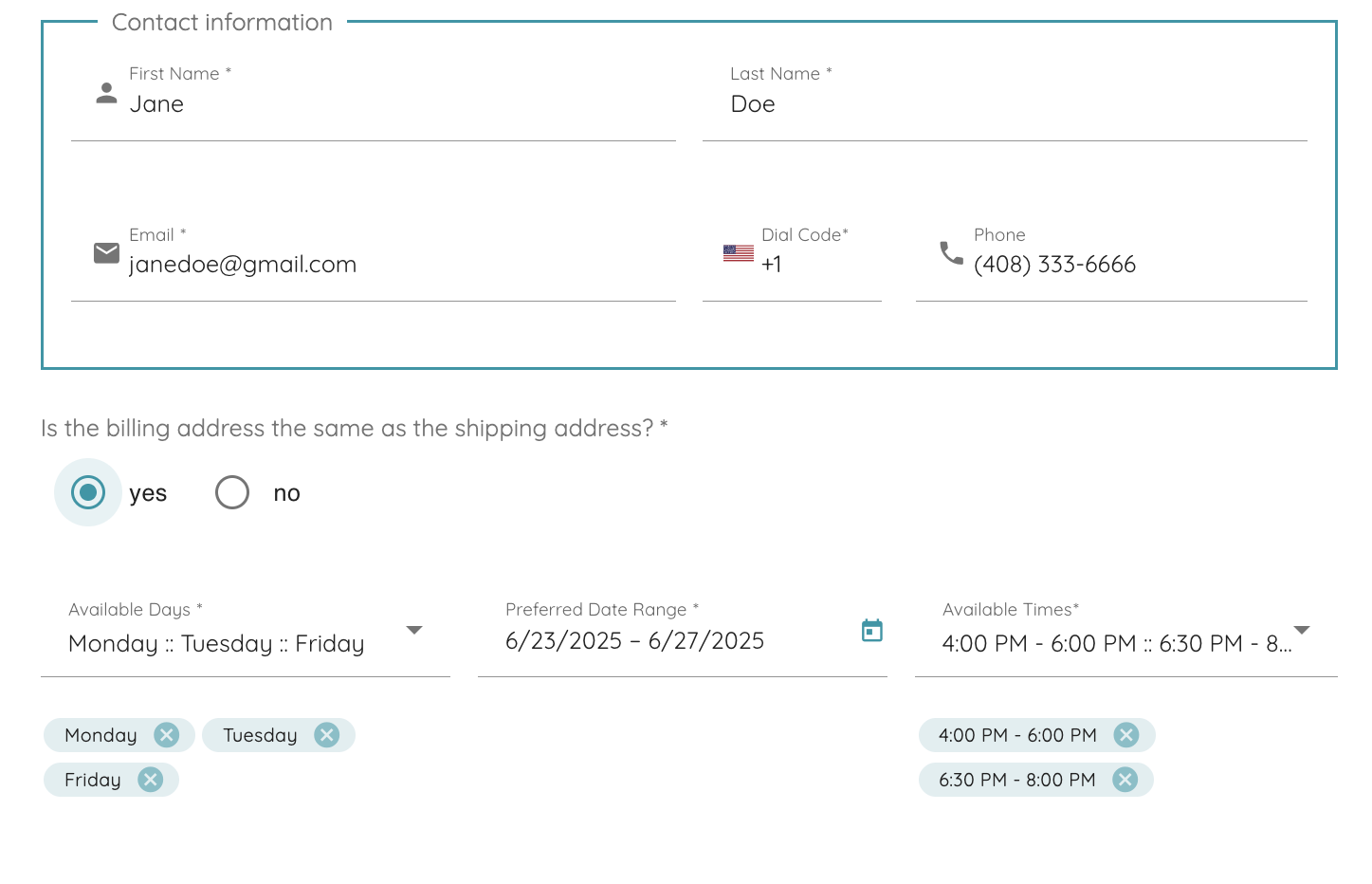
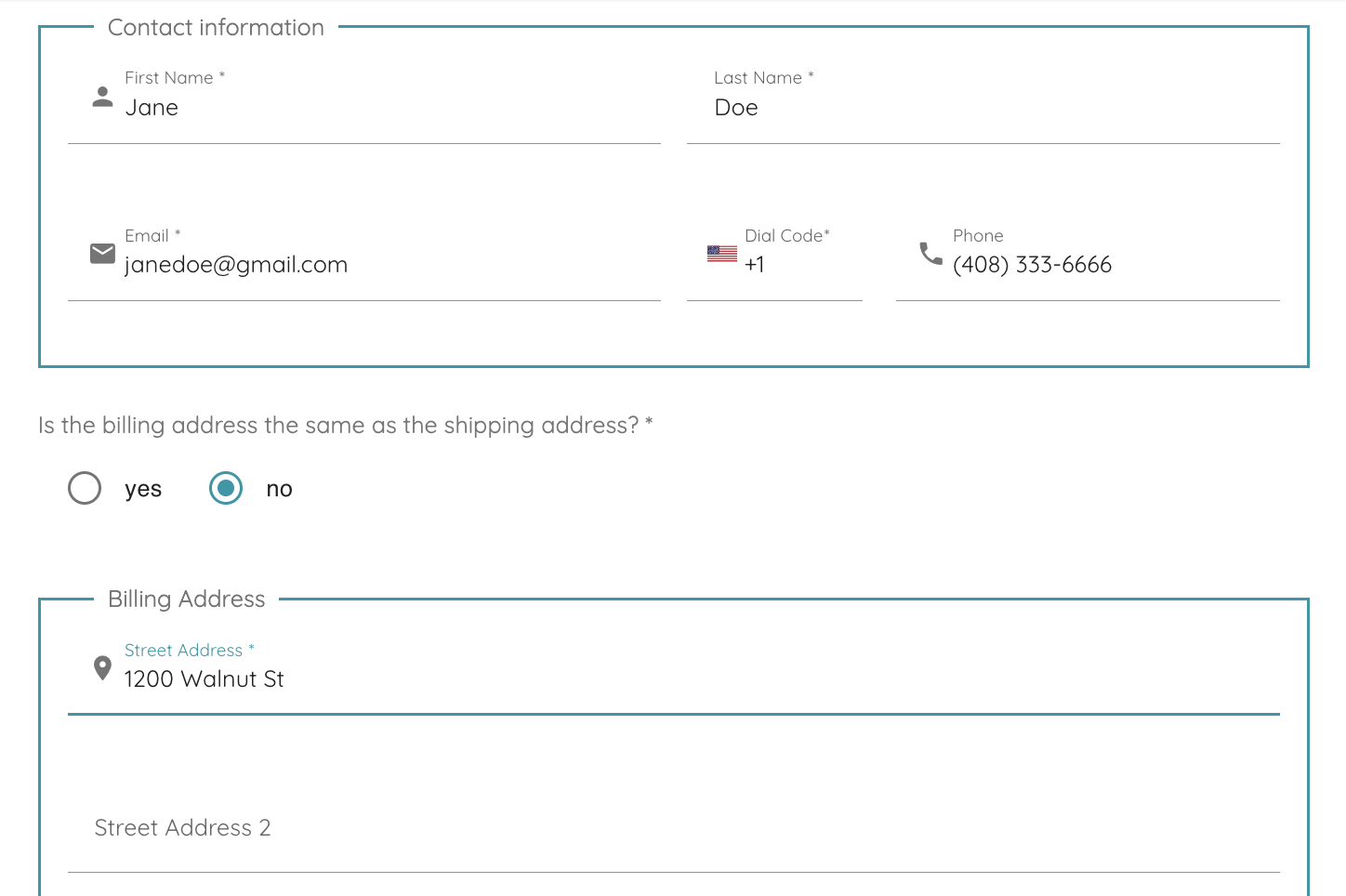
For example, if a user answers “No” to “Is the billing address the same as the shipping address?”, the form can automatically display a billing address section. If they answer “Yes,” that section remains hidden. Simple, seamless, and smart.
Observe the difference below:
Multiple Conditions with AND / OR Logic
You’re not limited to just one condition per field. You can now combine multiple conditions using intuitive “AND” / “OR” connectors to create flexible logic paths.
Example:
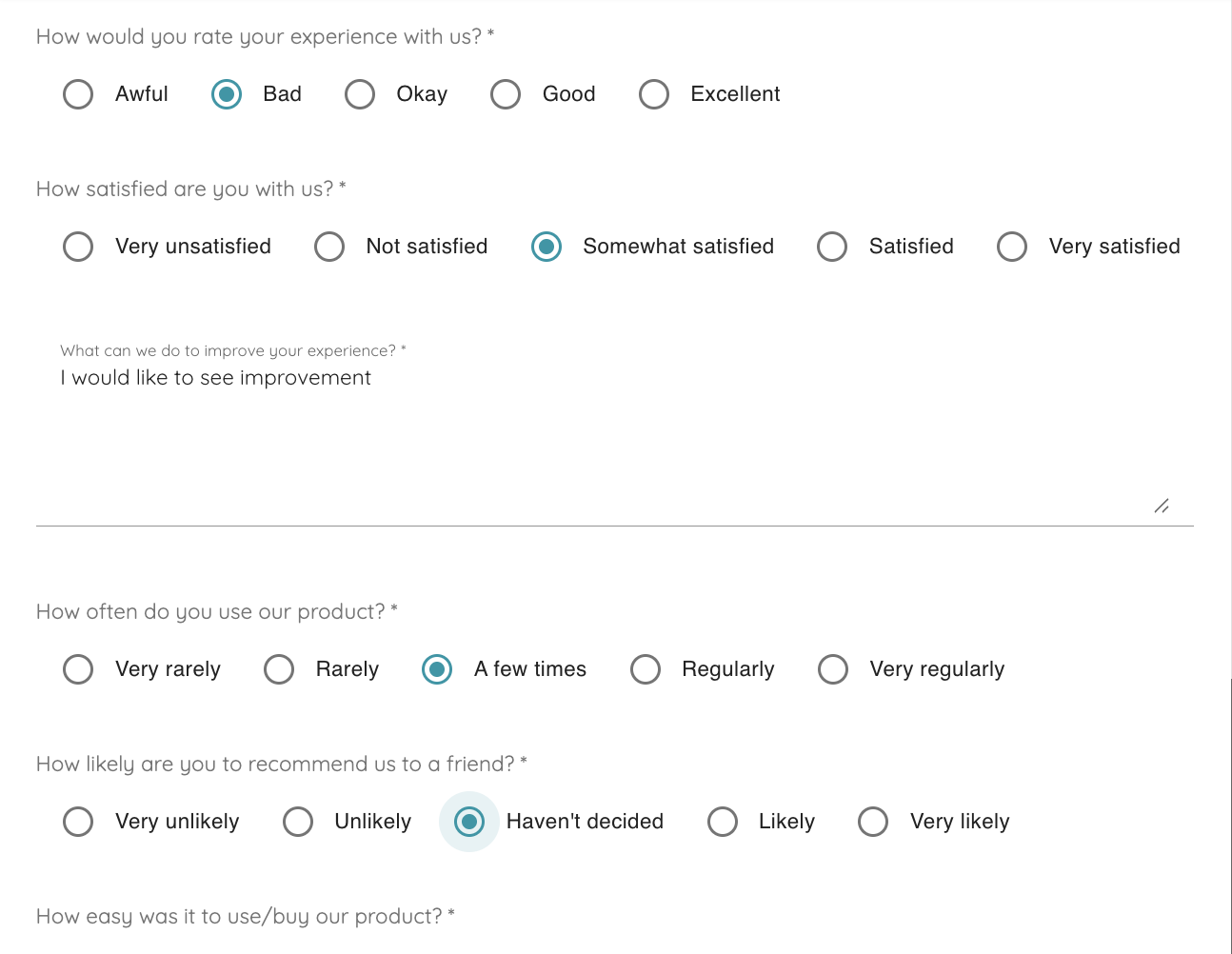
In a customer feedback survey:
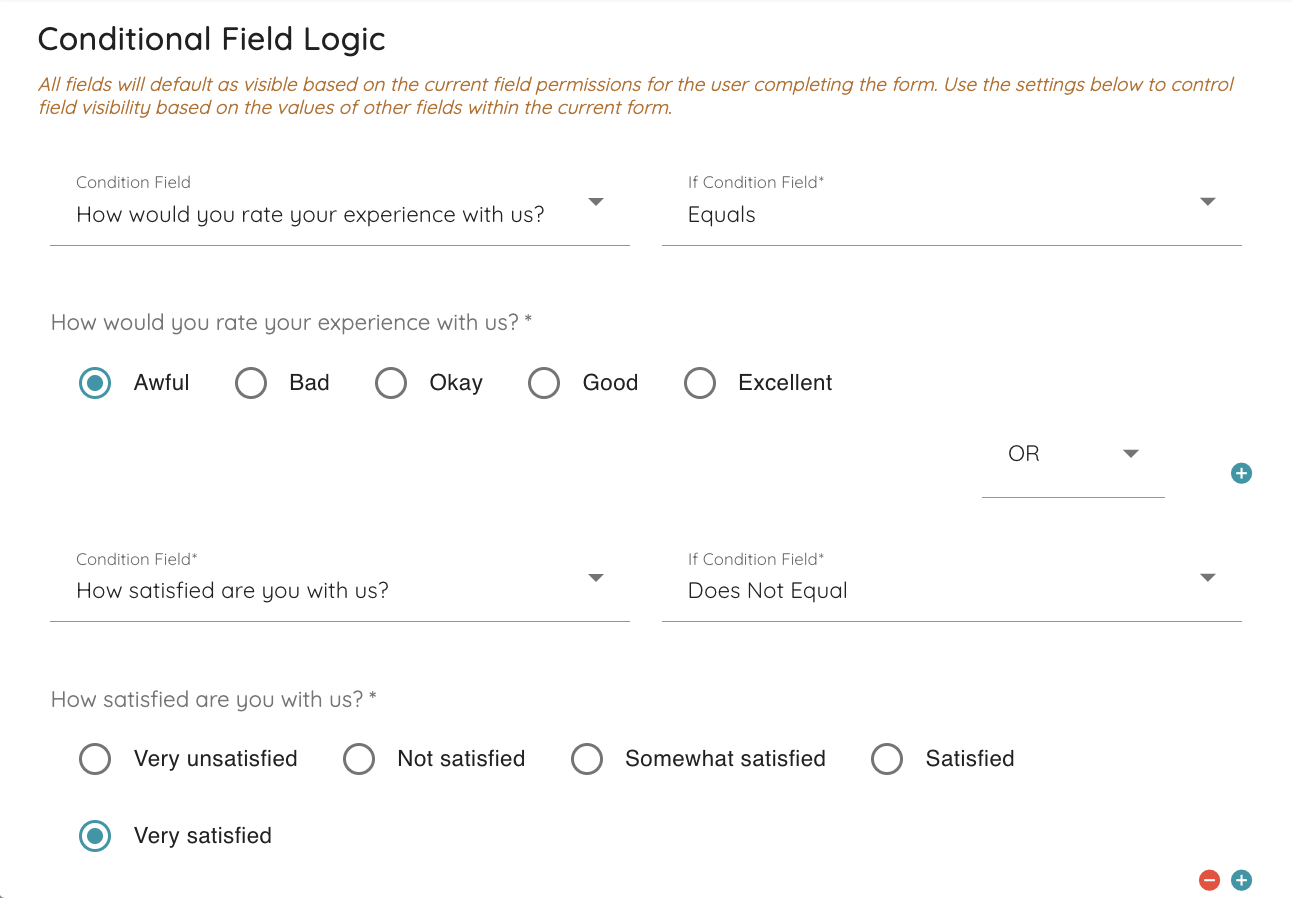
- If the answer to “How would you rate your experience with us?” is “Awful”,
- OR the answer to “How satisfied are you with us?” is not “Very satisfied”,
→ Then show the follow-up question: “What can we do to improve your experience?”
There is no limit to how many conditions a single field or subform can have. Each time you establish a condition you can press “+” or “-” to add and remove additional conditions.
Whether you’re collecting feedback, processing requests, or automating internal workflows, advanced conditional logic ensures your forms respond intelligently to each user.
Give it a try in Paprlss v2.1.2 — and make your forms work harder for you.
