

In our last release, we introduced Tasks to help teams stay organized and focused. Now, with Paprlss v2.1.2, Tasks have become smarter. You can still manage tasks independently and through our form builder, using the Task field — but we’ve added key enhancements to take your workflow further.
With this update, you can now:
- Comment on tasks to enable real-time discussions and file sharing
- Attach files directly for better documentation
- Schedule recurring tasks to automate ongoing work
These features are designed to simplify workflow, reduce manual follow-ups, and increase efficiency.
Real-Time Collaboration Inside Every Task
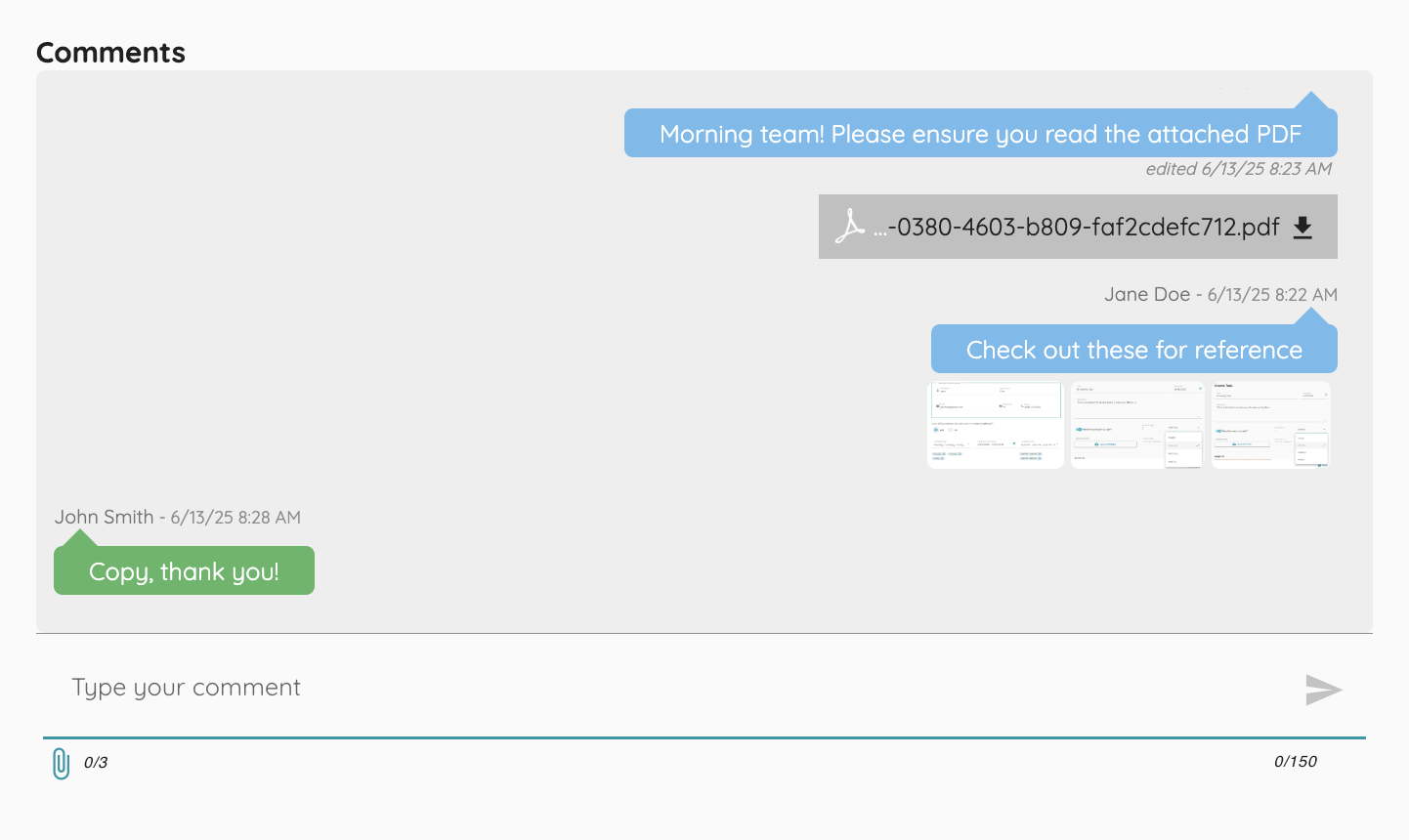
With real-time comments, you can now communicate directly within any task, keeping context, clarity, and files all in one place.
Each task now includes a built-in comment box that lets you:
- Discuss updates, adjustments, or questions as they occur
- Upload images or attach any file type
- Edit or delete your comments and file uploads (Admins can delete comments as well!)
Recurring Task Creation is Here!
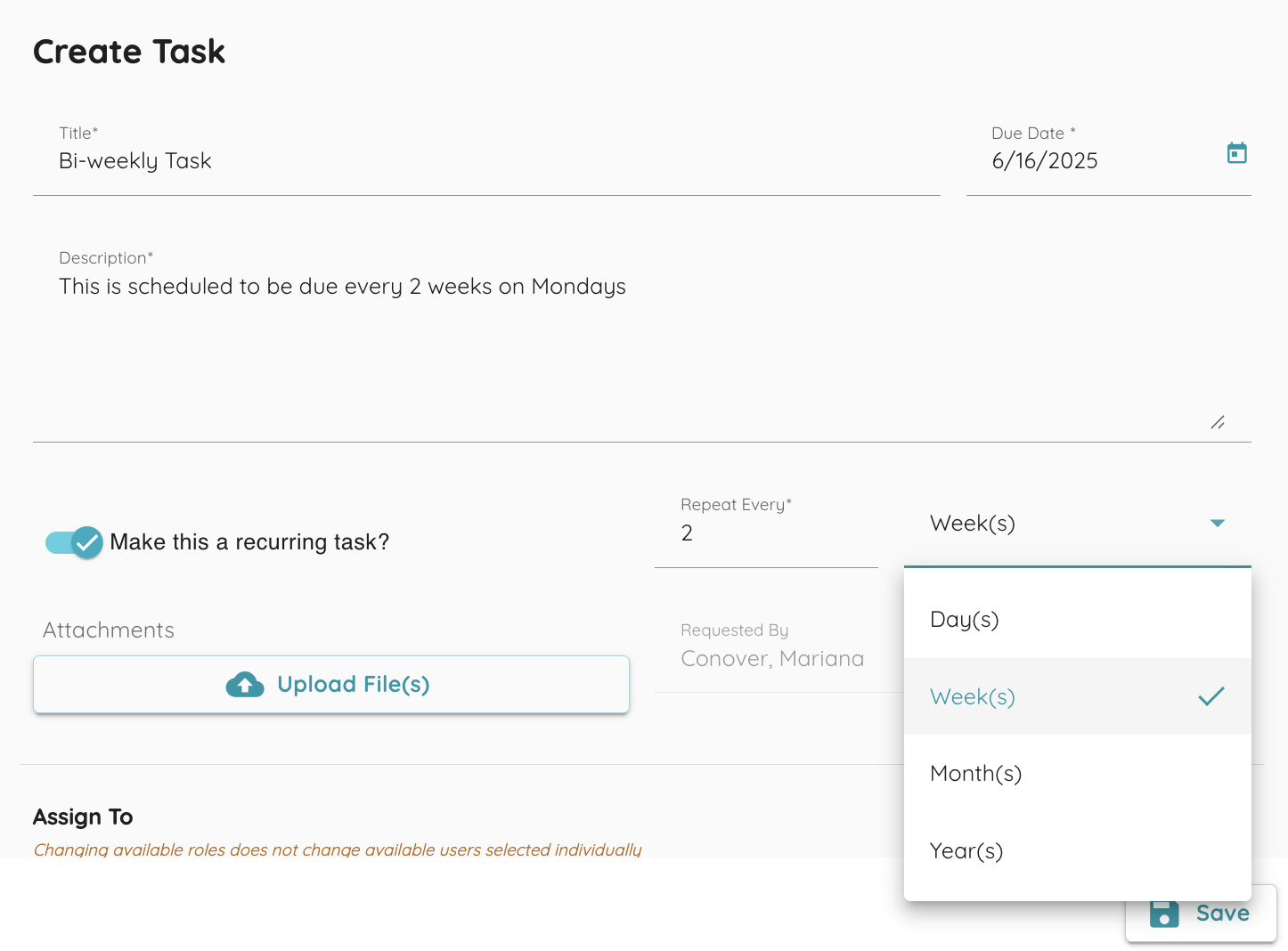
You can now create automated, recurring tasks on a schedule that fits your workflow. Whether it's daily stand-ups, weekly reports, or monthly reminders — set it once and let the app handle the rest. Select your frequency, set the initial due date and you’re ready to go! No more manual re-entry.
Try it out today and keep your tasks on track, automatically!
Task Uploads: Attach Any File, Stay Organized
You can now upload files directly to tasks, making it easier to keep everything in one place. Whether it’s spreadsheets, high-resolution images, PDFs, or even .zip files — simply attach them to the task where they belong.
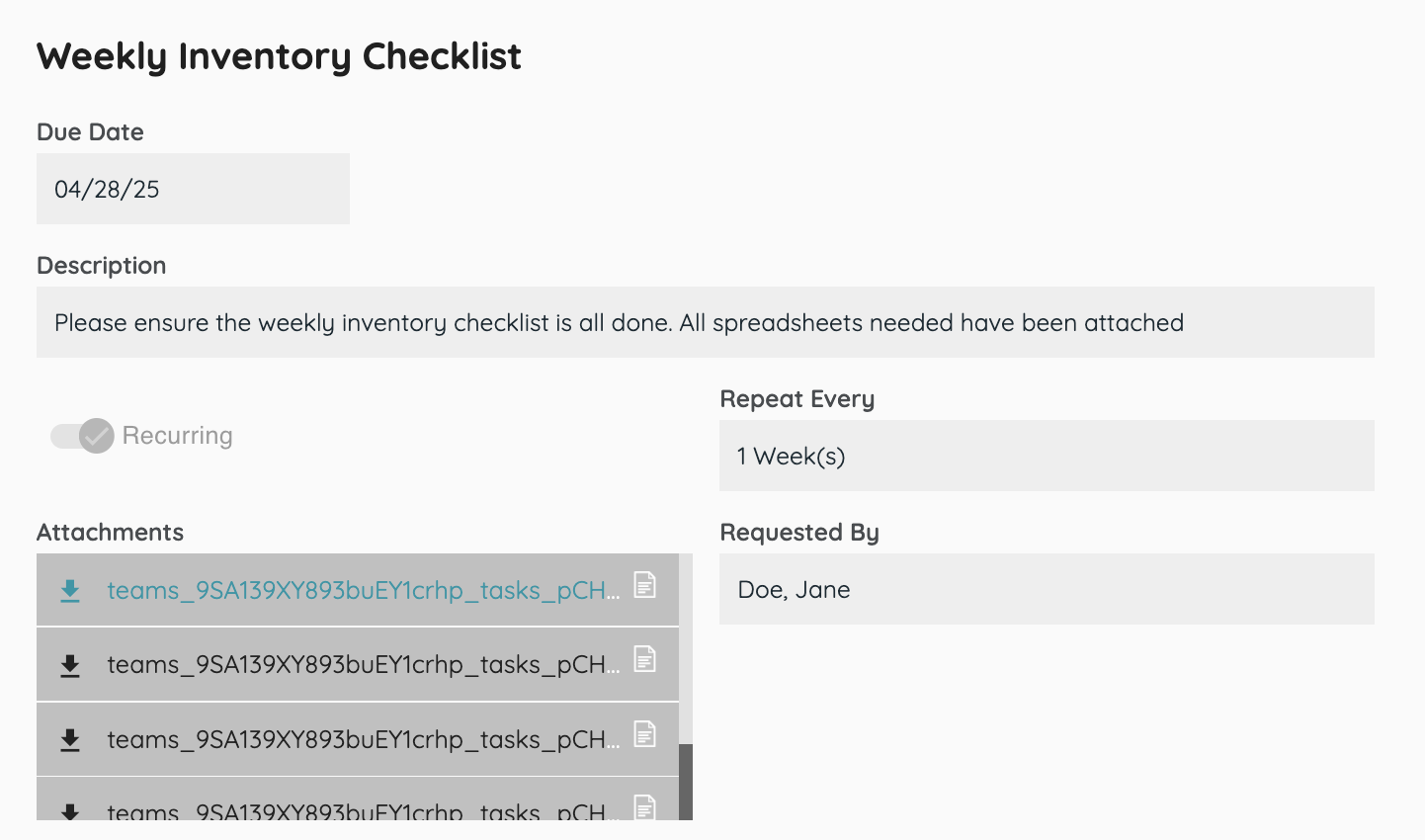
All team members with access to the task can view or download attachments securely, ensuring seamless file sharing. Files can be added or removed at any time while editing the task, giving you full control over your task content.
No more lost links or scattered documents — just smooth, centralized collaboration.
