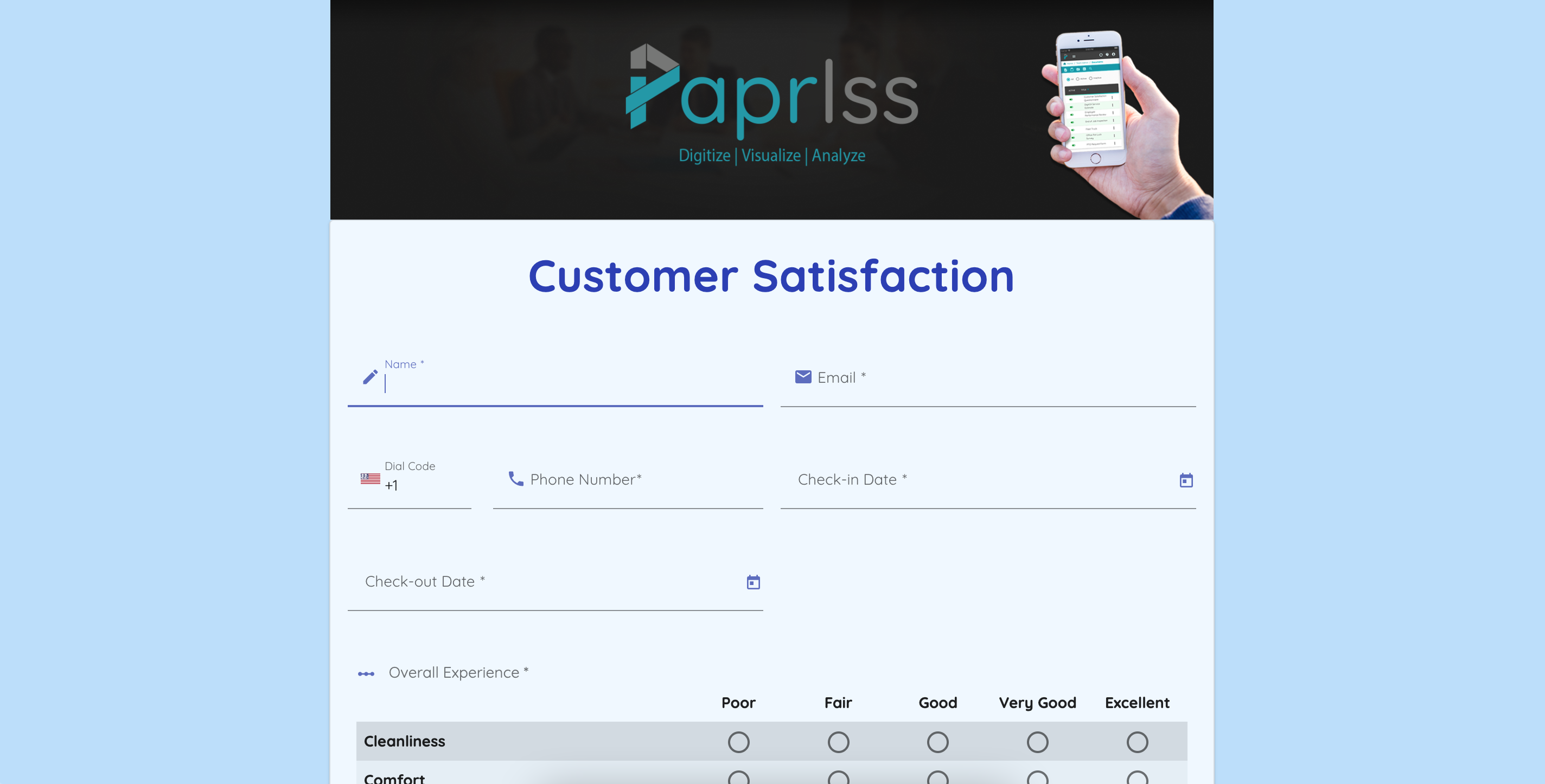
Style your forms and surveys with the newest feature, custom themes.
Whether you’re embedding a form on your website or sending out a public survey, bring your branding onto Paprlss with just a few clicks.
Use custom themes to keep consistent branding for your organization. Create theme templates to apply to any Paprlss forms, files or surveys. Hand-pick your color palettes, backgrounds and banners.
Once you’ve created a theme, you can give it a name and save it to save time when building forms by applying your custom theme with one click. Update any aspect of your theme as needed.
Check out how to find custom themes:
- Open your Formbuilder
- Click on “Settings” to open the side menu
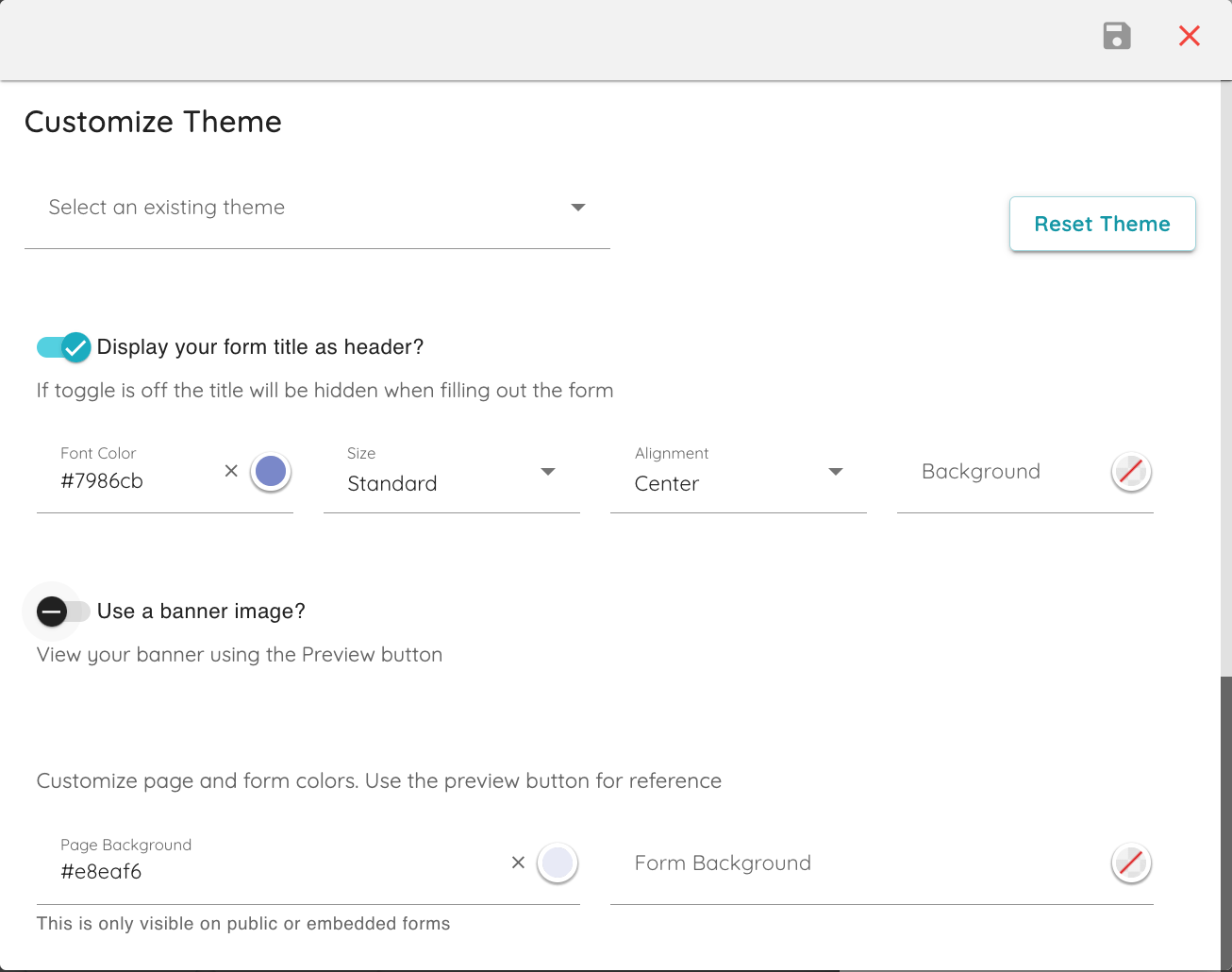
- Click “Customize theme” and get started!
What can you customize?
- Set an optional banner image
- Choose to show or hide your form’s title
- Choose the title’s font size, alignment, color and background color
- Set a page background color
- Set a form color
- Pick a color as a field highlight, this will be displayed when a field is selected
- Pick a color for field errors
- Choose your button color
- Choose a border color

How to view your themes:
- Open your form or survey on the formbuilder
- Click on “Publish”
- Create a sharable link and click “Share”
- Paste the link on your browser and there it is!